
Switch Configuration Guide: VLAN Segmentation and Trunk Setup for Secure Networks
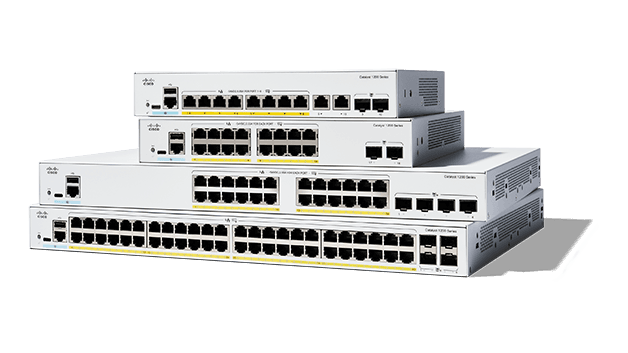
In any enterprise network, switching is the backbone of service quality. At IT Perfect, we deploy Cisco switching architectures that keep traffic reliable, fast, and secure.
This guide walks through initial setup, segmentation best practices, and practical hardening used in production environments.
1. Prerequisites before starting
To configure a new or reset Cisco switch, connect through the console cable and use a terminal emulator such as PuTTY or TeraTerm.
Cisco IOS works with privilege levels, so the first objective is to enter privileged mode and then global configuration mode.
Access configuration mode
Switch> enable
Switch# configure terminal
Switch(config)#
2. Name the switch and protect privileged access
Set a clear hostname for easier identification on the network and secure privileged mode with a strong encrypted secret.
This is a core baseline before applying interface and VLAN policies.
Hostname and privileged password
Switch(config)# hostname SW-IT-PERFECT
SW-IT-PERFECT(config)# enable secret StrongPassword
3. Secure console and remote access (SSH/Telnet lines)
Protect physical console access and virtual terminal lines to prevent unauthorized administration.
This ensures that both local and remote sessions require authentication.
Console and VTY protection
SW-IT-PERFECT(config)# line console 0
SW-IT-PERFECT(config-line)# password ConsoleAdmin
SW-IT-PERFECT(config-line)# login
SW-IT-PERFECT(config-line)# exit

SW-IT-PERFECT(config)# line vty 0 4
SW-IT-PERFECT(config-line)# password NetworkAdmin
SW-IT-PERFECT(config-line)# login
SW-IT-PERFECT(config-line)# exit
4. VLANs, ACCESS ports, and TRUNK uplinks
Segment users, servers, and guests into distinct VLANs to reduce lateral movement and contain incidents.
Use ACCESS mode for endpoints and TRUNK mode for inter-switch/firewall links, allowing only required VLANs.
Create VLAN and assign access port
SW-IT-PERFECT(config)# vlan 10
SW-IT-PERFECT(config-vlan)# name ACCOUNTING
SW-IT-PERFECT(config)# interface FastEthernet 0/1
SW-IT-PERFECT(config-if)# switchport mode access
SW-IT-PERFECT(config-if)# switchport access vlan 10
Configure trunk uplink
SW-IT-PERFECT(config)# interface GigabitEthernet 0/1
SW-IT-PERFECT(config-if)# switchport mode trunk
SW-IT-PERFECT(config-if)# switchport trunk allowed vlan 10,20,30
5. Save configuration permanently
After validation, persist running configuration so changes survive reboot.
Without this step, all modifications are lost after restart.
Save switch configuration
SW-IT-PERFECT(config)# end
SW-IT-PERFECT# copy running-config startup-config
Final word
Is your switching core ready to scale without compromising security?
Contact us for a full audit and hardening plan for your Cisco switching infrastructure.